English
 Español
 русский
محتوى
- 1 ما هي لوحات التصحيح؟ إجابة مباشرة
- 2 كيف تتناسب لوحة التصحيح مع نظام الكابلات الهيكلية
- 3 مقارنة عدد منافذ لوحة التصحيح
- 4 أنواع لوحات التصحيح: النحاس والألياف وحجر الزاوية المعياري
- 5 مقابس كيستون وألواح الواجهة: إكمال مسار الكابلات
- 6 موصلات RJ45 الذكور وجودة الإنهاء
- 7 مقارنة أولويات التقييم عبر أنواع اللوحات
- 8 إرشادات عملية لاختيار منتجات الكابلات الهيكلية
- 9 حول شركة يوياو سيمانتي المحدودة لمعدات اتصالات الشبكة
- 10 الأسئلة المتداولة
ما هي لوحات التصحيح؟ إجابة مباشرة
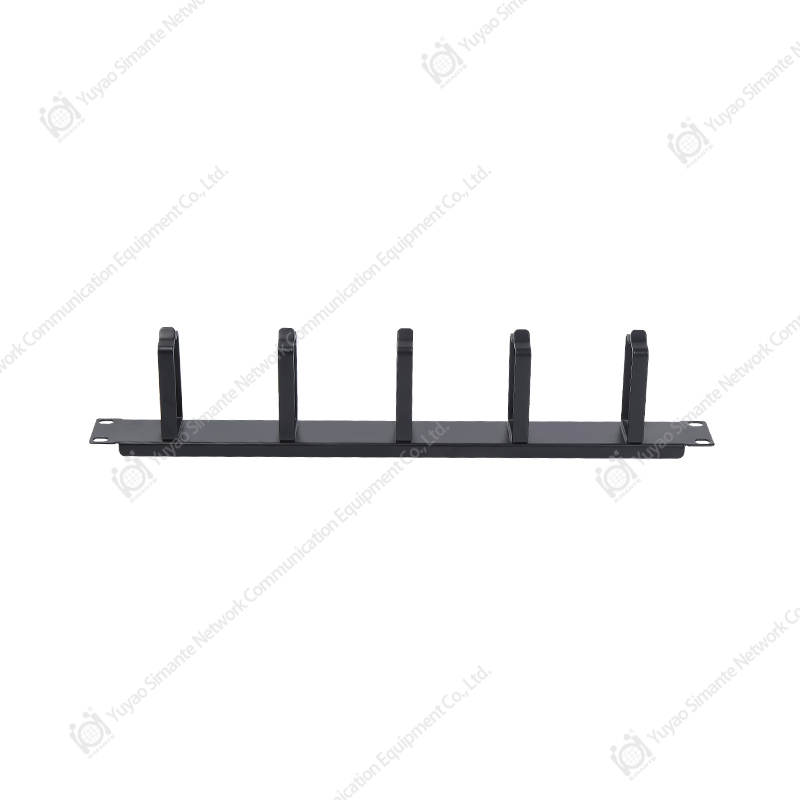
لوحة التصحيح عبارة عن لوحة أجهزة سلبية، مثبتة على حامل أو خزانة حائط، والتي تنهي مسارات الكابلات الدائمة للمبنى على جانبها الخلفي بينما تقدم صفًا من المنافذ المرقمة على جانبها الأمامي لأسلاك التصحيح القصيرة. بعبارات بسيطة، إنها نقطة الاتصال الثابتة لـ a نظام الكابلات الهيكلية ، يفصل الكابل الذي يمر عبر الجدران والأسقف عن السلك المرن الذي يتم توصيله بالمفتاح. هذا الفصل هو ما يسمح للفني بنقل أو إضافة أو تغيير اتصال في الجزء الأمامي من الحامل في ثوانٍ، دون لمس الكابل المثبت داخل المبنى.
نظرًا لأن لوحة التصحيح لا تقوم بتبديل أو تضخيم أو معالجة أي إشارة، يتم تصنيفها على أنها مكون سلبي إلى جانب المكونات الأخرى منتجات الكابلات المنظمة مثل مقابس حجر الزاوية واللوحات الأمامية والموصلات. وتأتي قيمتها بالكامل من التنظيم: فبدلاً من تشغيل الكابلات الطويلة مباشرة من كل محطة عمل إلى المحول، تنتهي جميع الكابلات عند نقطة مركزية واحدة. هذا هو أساس أي موثوق حل كابلات الشبكة سواء كان التثبيت مكتبًا صغيرًا أو مركز بيانات متعدد الطوابق.
كيف تتناسب لوحة التصحيح مع نظام الكابلات الهيكلية
يتم إنشاء تركيب الكابلات الهيكلي من عدة أجزاء مترابطة، ويساعد فهم كيفية اتصالها في توضيح سبب أهمية لوحة التصحيح. يمتد الكابل الأفقي من منافذ الحائط وينتهي في الجزء الخلفي من اللوحة باستخدام جهات اتصال مثقوبة أو IDC، بينما تقبل المنافذ الأمامية أسلاك التوصيل القصيرة التي تتصل بمفاتيح الشبكة. في نهاية الجدار، ينتهي نفس الكابل بمقبس رئيسي مثبت داخل لوحة الواجهة، وهو المنفذ المرئي الذي يقوم المستخدم بتوصيل كابل الجهاز به.
مكونات نظام الكابلات الهيكلية الأساسية
- لوحة التصحيح: تقوم بمركزية وتنظيم كافة مسارات الكابلات الدائمة الواردة في الحامل.
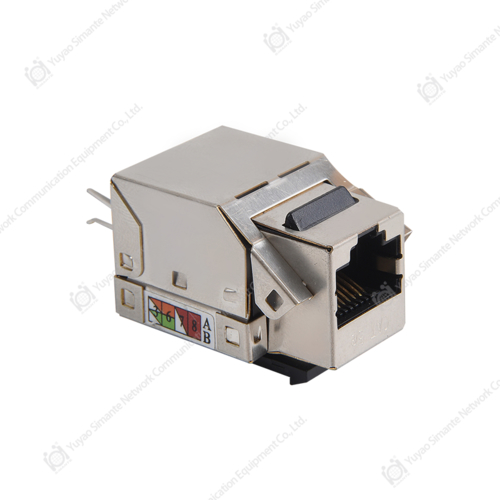
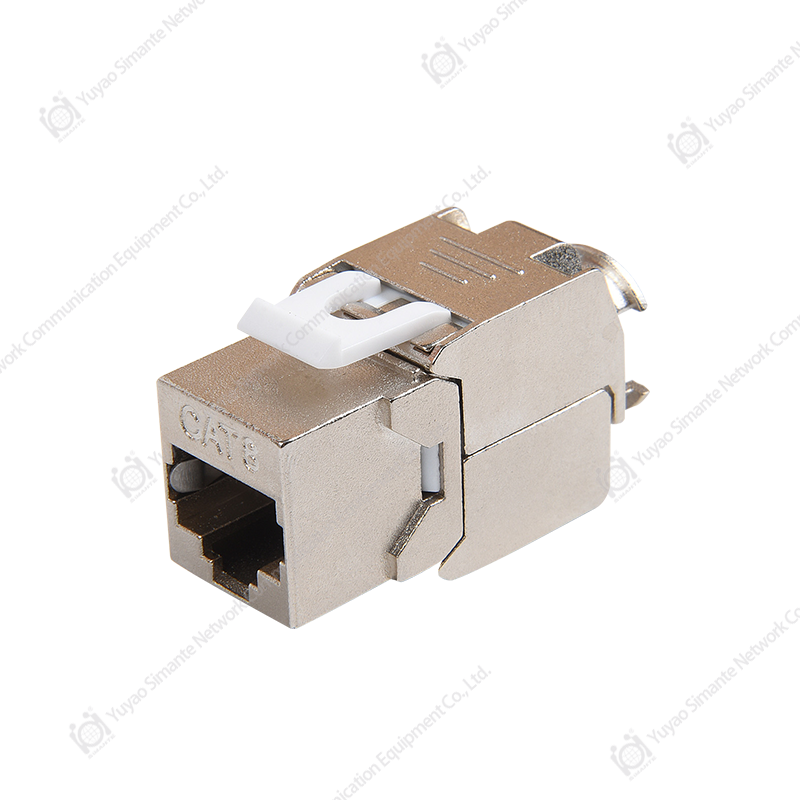
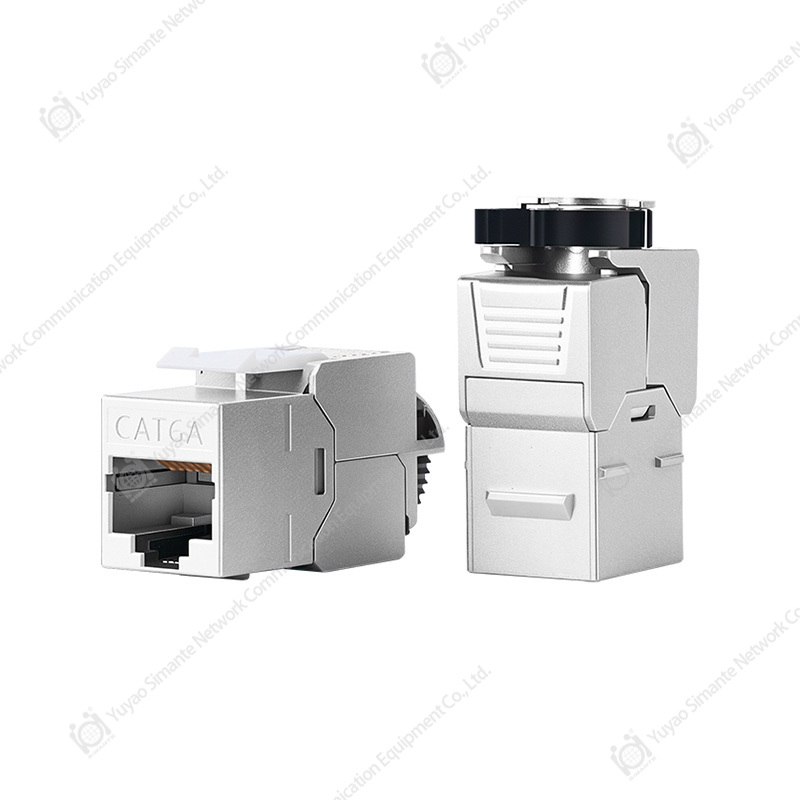
- مقبس Keystone: ينهي الكابل عند الحائط أو نهاية اللوحة ويقبل قابس RJ45.
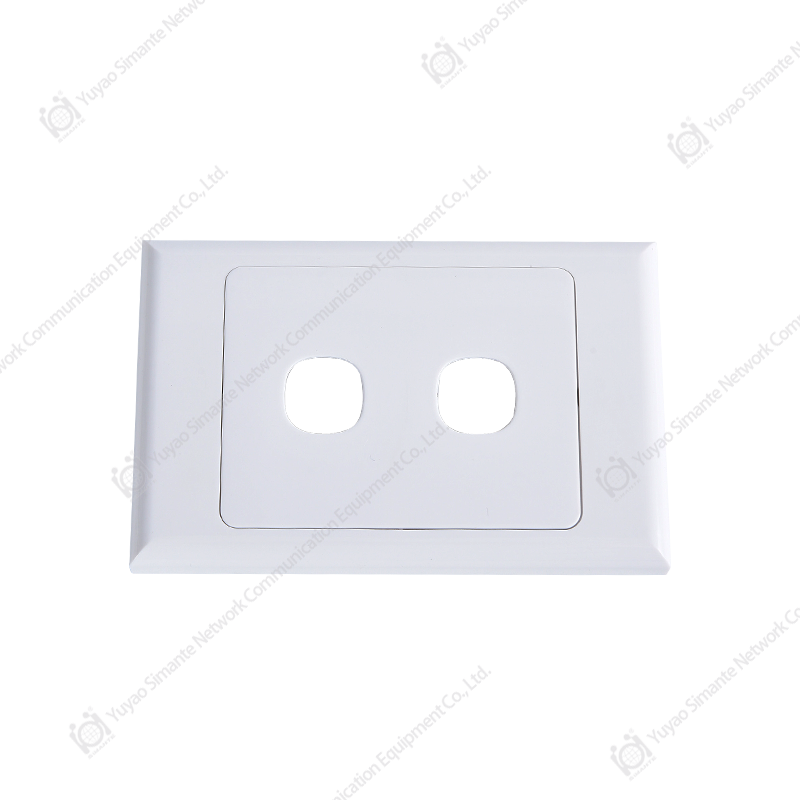
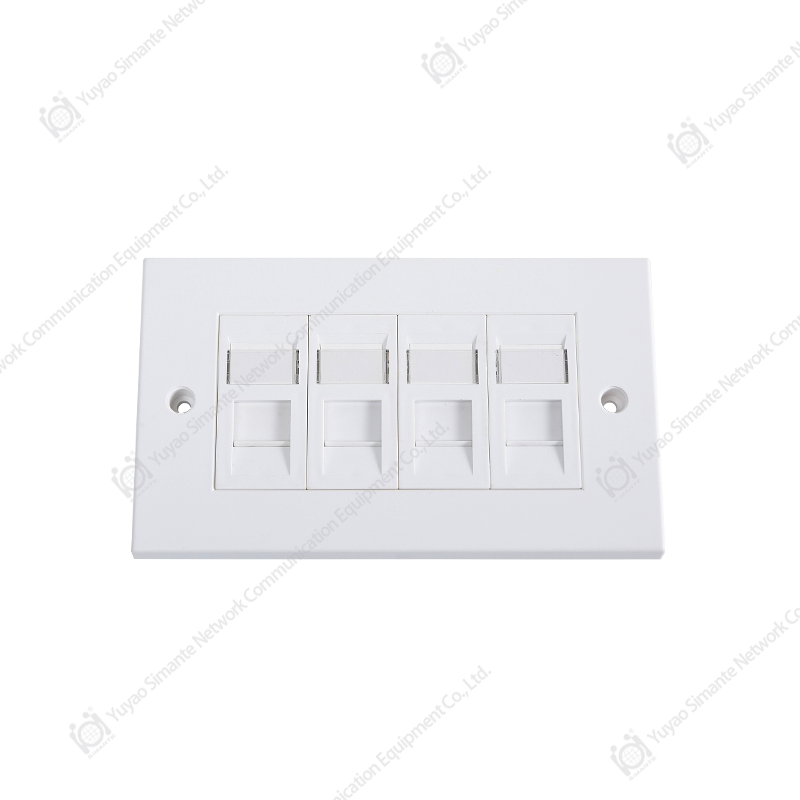
- اللوحة الأمامية: تحتوي على مقبس واحد أو أكثر وتوفر منفذًا مرئيًا على الحائط.
- موصل ذكر RJ45: ينهي أسلاك التصحيح حتى تتمكن من توصيلها بالمقابس وتبديل المنافذ.
- أسلاك التصحيح: كابلات مرنة قصيرة تربط منافذ اللوحة بمعدات الشبكة النشطة.
كل من هذه منتجات الكابلات الهيكلية يجب أن تكون متطابقة مع نفس فئة الكابل ونوع التدريع مثل بقية التشغيل، نظرًا لأن خلط الفئات في أي مكان على طول القناة يمكن أن يحد من الأداء الإجمالي للارتباط. وهذا هو السبب في أن تحديد مصادر المكونات كنظام منسق، بدلاً من تجميعها معًا بشكل فردي، يؤدي إلى نتائج أكثر قابلية للتنبؤ بها.
مقارنة عدد منافذ لوحة التصحيح
يتم تصنيع لوحات التصحيح بشكل شائع في تكوينات 12 منفذًا و24 منفذًا و48 منفذًا و96 منفذًا، ويعتمد اختيار الحجم المناسب على عدد مرات تشغيل الكابل التي يحتاج الحامل إلى إنهائها اليوم وفي المستقبل القريب. الرسم البياني أدناه عبارة عن مقارنة شريطية أفقية لأعداد المنافذ الشائعة، والتي تظهر جنبًا إلى جنب لتوضيح مدى سرعة زيادة كثافة الحامل من لوحة خزانة الأسلاك الصغيرة إلى لوحة مركز البيانات عالية الكثافة.
عادةً ما تكون اللوحات الأصغر ذات 12 أو 24 منفذًا كافية لخزانة أسلاك واحدة أو نشر مكتب صغير، حيث يكون عدد محطات العمل محدودًا ويكون النمو المستقبلي متواضعًا. تعد اللوحات الأكبر حجمًا ذات 48 و96 منفذًا شائعة في مراكز البيانات وغرف الاتصالات بالمؤسسات، حيث يؤدي دمج عدد كبير من الاتصالات في وحدة حامل واحدة إلى توفير مساحة حامل قيمة. إن اختيار عدد المنافذ مع بعض السعة الاحتياطية المضمنة، بدلاً من لوحة ممتلئة تمامًا في اليوم الأول، يجعل الإضافات المستقبلية أسهل بشكل عام دون الحاجة إلى لوحة ثانية.
أنواع لوحات التصحيح: النحاس والألياف وحجر الزاوية المعياري
يتم تصنيف لوحات التصحيح بشكل عام حسب نوع الكابل الذي تدعمه، وتعد مطابقة نوع اللوحة للتثبيت أحد أهم القرارات المبكرة في مشروع الكابلات. تُستخدم لوحات التصحيح النحاسية Ethernet، والتي تسمى أحيانًا لوحات التصحيح Cat6، لتشغيل الأزواج الملتوية إلى محطات العمل ونقاط الوصول والهواتف. تخدم لوحات توصيل الألياف الروابط الأساسية بين غرف الاتصالات، في حين تسمح لوحات الإطار المعيارية بتركيب مزيج من أنواع المقابس في هيكل واحد مع تطور المتطلبات.
| نوع اللوحة | الاستخدام النموذجي | المرونة |
|---|---|---|
| لوحة التصحيح النحاسية الثابتة Cat6 | محطة العمل وكابلات LAN العامة | منخفض، المنافذ ثابتة عند التصنيع |
| لوحة التصحيح فارغة مع إطار حجر الزاوية | عمليات نشر مختلطة من النحاس والألياف | عالية، يتم تركيب الرافعات حسب الحاجة |
| لوحة تصحيح الألياف | العمود الفقري والروابط بين المباني | متوسط، يعتمد على المحولات المحملة |
A لوحة التصحيح فارغة غالبًا ما يكون المقترن بإطار مقبس رئيسي هو الخيار الأكثر قابلية للتكيف مع الشبكات المتنامية، نظرًا لأن القائمين على التثبيت يمكنهم ملء المنافذ الفردية بنوع المقبس المطلوب بالضبط، بما في ذلك مقبس كيستون RJ45 أو محول ألياف، في وقت التثبيت بدلاً من الالتزام بتصميم ثابت مسبقًا.
مقابس كيستون وألواح الواجهة: إكمال مسار الكابلات
تتعامل لوحة التصحيح مع طرف واحد فقط من قناة الكابلات؛ ينتهي الطرف الآخر عادةً بمقبس حجر الزاوية مثبتًا في لوحة الواجهة على الحائط أو صندوق الأرضية. أ صافي كيستون جاك وما شابه ذلك كيستون جاك القط6 تستخدم الوحدات اتصالات إزاحة العزل لثقب الكابل الوارد، ثم تقديم فتحة قياسية تقبل قابس RJ45 من كابل جهاز المستخدم النهائي. جودة واجهة RJ45 يجب أن يحمل المنفذ المقبس بشكل آمن، ويحمي الطرف من الإجهاد الميكانيكي، ويسمح بمنافذ فردية أو متعددة اعتمادًا على عدد الخدمات المطلوبة في ذلك الموقع.
حسن السمعة الشركات المصنعة جاك حجر الزاوية و الشركات المصنعة للواجهة بشكل عام، قم بتصميم هذه المكونات وفقًا لبصمة صناعية مشتركة، وهذا هو السبب وراء وجود مقابس حجر الزاوية، وإدراجات فارغة، و لوحة وجه الشبكة تميل العلب من خط إنتاج منسق إلى التوافق معًا بشكل متسق عبر التثبيت. يمثل المخطط الخطي أدناه توضيحًا مفاهيميًا لكيفية اتجاه الطلب على مقابس الفئة الأعلى، مثل Cat6 وCat6A، بشكل عام إلى الأعلى خلال السنوات الأخيرة مع زيادة متطلبات النطاق الترددي عبر بيئات المكتب والبيانات.
يعكس هذا الاتجاه التصاعدي تحولًا عامًا في الصناعة نحو تطبيقات النطاق الترددي الأعلى، بما في ذلك مؤتمرات الفيديو، ووصلة Wi-Fi متعددة الجيجابت، وأجهزة الطاقة عبر الإيثرنت، والتي تستفيد جميعها من Cat6 أو كابلات أفضل. وهو ما يفسر أيضًا سبب تحديد العديد من التركيبات الجديدة الآن لمقابس Cat6 الأساسية واللوحات المطابقة كخط أساسي بدلاً من خيار الترقية. يجب أن تراعي المنشآت التي تخطط للتحديث هذا الاتجاه العام عند تحديد فئة المقبس، على الرغم من أن سرعة الاعتماد الدقيقة تختلف حسب المنطقة ونوع المبنى.
موصلات RJ45 الذكور وجودة الإنهاء
تعتمد أسلاك التصحيح التي تعمل بين لوحة التوصيل والمفتاح، وبين مقبس الحائط وجهاز المستخدم النهائي، على موصل RJ45 ذكر معقوص أو مصبوب على كل نهاية. إن جودة هذا الإنهاء لها تأثير مباشر على موثوقية الشبكة، نظرًا لأن الموصل السيئ التثبيت يمكن أن يقدم اتصالاً متقطعًا أو مقاومة إضافية عند نقاط الاتصال. موثوقة الشركات المصنعة للموصل بشكل عام، يتم الاحتفاظ بتفاوتات صارمة فيما يتعلق بتباعد الدبوس وسمك الطلاء الذهبي، نظرًا لأن هذه التفاصيل تؤثر على مدى اتساق الموصل مع المقبس خلال دورات الإدخال المتكررة.
يقارن المخطط الشريطي أدناه، بشكل عام، مقدار أداء القناة الإجمالي الذي يُعزى عادةً إلى كل مرحلة من مراحل الوصلة النحاسية: الكابل نفسه، ونهاية المقبس، والموصل أو القابس. هذه النسب عبارة عن أرقام توضيحية وليست أرقامًا مقاسة لأي منتج محدد، وتهدف فقط إلى إظهار أهمية المراحل الثلاث للوصلة النهائية.
نظرًا لأن طرف المقبس وجودة الموصل كلاهما لهما مستويات مماثلة من الأهمية للكابل نفسه، فإن التعامل معهما كفكرة لاحقة أثناء الشراء يمكن أن يؤدي إلى تقويض خطة الكابلات المحددة جيدًا. إن التوريد المتسق للوحات التصحيح، والمقابس الأساسية، والموصلات من عائلة منتجات منسقة واحدة يقلل من فرصة عدم التطابق بين المكونات عند نقاط الإنهاء الحرجة هذه.
مقارنة أولويات التقييم عبر أنواع اللوحات
تناسب أنواع لوحات التصحيح المختلفة أولويات مختلفة، وتعد مقارنة الرادار طريقة مفيدة لتصور كيفية حصول كل من لوحة النحاس الثابتة، ولوحة الانحراف المعيارية، ولوحة الألياف على معايير التقييم الشائعة مثل المرونة، وكثافة المنافذ، وسرعة التثبيت، وقابلية التوسع في المستقبل.
تسجل لوحة المفاتيح المعيارية عمومًا درجات أعلى من حيث المرونة وقابلية التوسع، حيث يمكن إضافة مقابس فردية أو استبدالها أو إعادة تكوينها دون تبديل اللوحة بأكملها. تميل اللوحة النحاسية الثابتة إلى تحقيق نتائج أعلى من حيث البساطة وسرعة التثبيت، نظرًا لأن المنافذ تأتي محملة مسبقًا ولا تتطلب تجميع المقبس في الموقع. لا يعد أي من الملفين صحيحًا بشكل عام، ويعتمد الاختيار الصحيح على ما إذا كان التثبيت يعطي الأولوية للقدرة على التكيف على المدى الطويل أو النشر الأولي بشكل أسرع.
إرشادات عملية لاختيار منتجات الكابلات الهيكلية
عند تحديد أ حل كابلات الشبكة ، فهو يساعد على العمل من خلال قائمة مرجعية قصيرة قبل إنهاء الطلب، بدلاً من اختيار المكونات بشكل فردي حسب الحاجة.
- قم بتأكيد فئة الكابل، مثل Cat6، عبر لوحة التصحيح ومقبس Keystone وأسلاك التصحيح معًا.
- اختر عددًا من المنافذ ذات سعة احتياطية معقولة للنمو على المدى القريب.
- اختر بين اللوحة الثابتة ولوحة التصحيح الفارغة بإطار أساسي بناءً على التغييرات المستقبلية المتوقعة.
- قم بمطابقة عدد منافذ الواجهة مع عدد الخدمات المطلوبة في كل موقع منفذ.
- احصل على الموصلات والمقابس من عائلة منتجات متسقة لتقليل مشكلات التوافق.
يؤدي اتباع هذا التسلسل بشكل عام إلى إنشاء خطة كبلات تكون أسهل في التوثيق، واستكشاف الأخطاء وإصلاحها، وأسهل في التوسيع لاحقًا دون إعادة صياغة النهايات الموجودة.
حول شركة يوياو سيمانتي المحدودة لمعدات اتصالات الشبكة
Yuyao Simante Network Communication Equipment Co., Ltd. هي شركة متخصصة في تصنيع حل كابلات الشبكةs و منتجات الألياف الضوئية ، دمج التصميم والتطوير والمبيعات والخدمة. خلال ما يقرب من 20 عامًا من الخدمة، تلتزم Simante بتلبية احتياجات عملائها من خلال الخبرة وتوفير القيمة منذ بداية كل مشروع.
استنادًا إلى نظام بحث وتطوير ناضج، تم ضمان استقرار جودة منتجات Simante عند مصدر التصميم. توظف الشركة أكثر من 10 مهندسين و over 30 موظفًا فنيًا بدوام كامل ، الذين يواصلون تقديم قيمة احترافية في مناصبهم، وتحسين الجودة وتعزيز تحديثات المنتج عبر مجموعة Simante من لوحات التصحيح والرافعات الأساسية واللوحات الأمامية والموصلات.
الأسئلة المتداولة
س1: ما هي استخدامات لوحات التصحيح؟
تعمل لوحات التصحيح على مركزية وتنظيم كابلات الشبكة الدائمة في الحامل، مما يسمح للفنيين بتوصيل المعدات وفصلها وإعادة توجيهها باستخدام أسلاك التصحيح القصيرة في الجزء الأمامي من اللوحة دون إزعاج الكابلات الثابتة الموجودة خلفها.
س2: ما الفرق بين لوحة التصحيح ومقبس حجر الزاوية؟
لوحة التصحيح عبارة عن لوحة مثبتة على حامل تحتوي على العديد من المنافذ، في حين أن مقبس حجر الزاوية عبارة عن وحدة إنهاء فردية، غالبًا ما يتم تركيبها في لوحة واجهة أو إطار لوحة توصيل معياري، والذي يقبل اتصال كابل واحد.
س3: هل تدعم جميع لوحات التوصيل نفس فئة الكابلات؟
لا، لقد تم تصميم لوحات التصحيح لفئات كبلات محددة مثل Cat6، ويجب أن تتطابق اللوحة ومقبس Keystone والموصلات مع نفس الفئة لتحقيق أداء القناة المقصود.
س 4: ما هي لوحة التصحيح الفارغة المستخدمة؟
توفر لوحة التصحيح الفارغة فتحات فارغة على شكل حجر الزاوية والتي يملؤها القائمون على التركيب بأنواع المقابس المحددة المطلوبة، مما يوفر مرونة أكبر من اللوحة الثابتة المحملة مسبقًا لتلبية متطلبات الكابلات المتطورة.
س5: كيف ترتبط اللوحة الأمامية بلوحة التصحيح؟
توجد لوحة الواجهة في الطرف المقابل لقناة الكابلات من لوحة التوصيل، وتحتوي على مقبس المفتاح الذي يقوم المستخدم بتوصيل كابل أجهزته بمنفذ حائط أو أرضية.